
How to Find Photos in a Large Photo Library
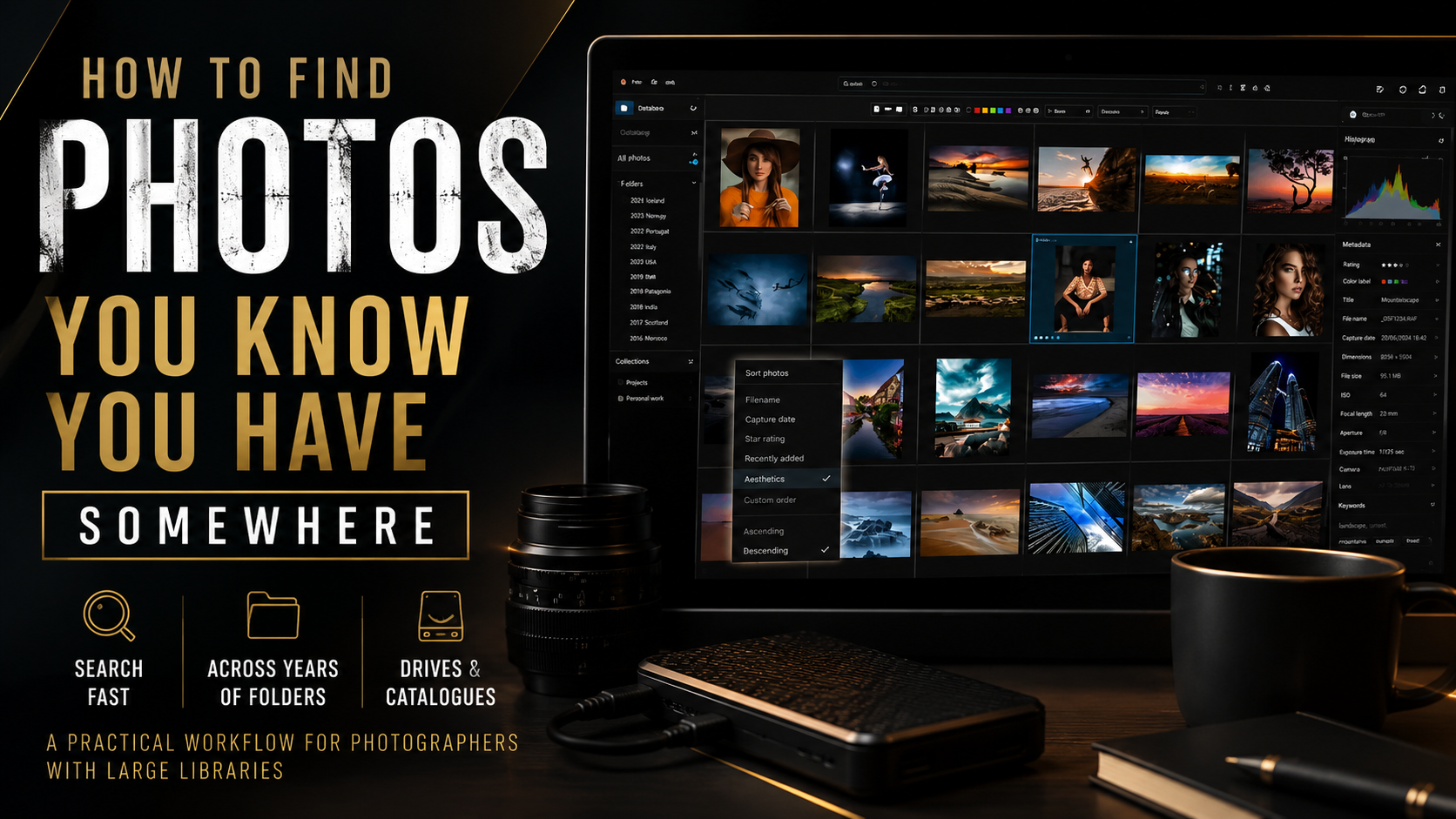
Your photo archive is only valuable if you can find what is inside it.
One of the less glamorous problems that arrives with being a photographer for a long time is that the archive eventually becomes too large to hold in your head.
You might remember photographing a particular street, landscape, building, portrait, beach, sign, product or client detail perfectly. What you may not remember is whether it was photographed in 2018 or 2021, which camera you used, which external hard drive contains the files, or what the original folder was called.
At that point, the problem is no longer really photo storage. It is photo retrieval.
Traditional folders are still useful. Dates are useful. Filenames, star ratings, colour labels and metadata are useful. But none of those necessarily answer the most natural question a photographer asks: “Where is that photograph I know I took?”
This is where modern photo-management software becomes genuinely useful. Instead of forcing you to remember exactly where a photograph is stored, software using image analysis can help you search by the actual content of the photograph.
For me, that is one of the more useful applications of AI in photography. It is not about generating another image. It is about making the photographs you have already taken easier to find and therefore more useful.
Folder structures eventually stop being enough.
A carefully organised folder structure can work brilliantly when an archive is relatively small.
A year folder can contain months. A client folder can contain individual shoots. Travel photographs can be organised by country, city or trip. Commercial work might be organised by client, campaign and date.
The limitation is that a folder tells you where a file was stored. It does not necessarily tell you what is actually visible inside the photograph.
- You remember the photograph but not the year.
- You remember the subject but not the folder name.
- The same person appears across multiple shoots.
- Your archive is spread across several external hard drives.
- You have inconsistent filenames accumulated over many years.
- You want photographs based on a visual idea rather than metadata.
- You remember a sign or object appearing in the photograph.
- You need to find previous work quickly for a new project or client.
Search for what you remember, not where you filed it.
The important shift is moving from searching a filesystem to searching the visual information contained inside your photography.
Objects and scenes
Search around recognisable visual ideas such as architecture, mountains, beaches, wildlife, cars, streets, food, buildings, interiors or other scene types.
Faces and people
Search an archive around people and faces instead of trying to remember which particular shoot, folder or year contains them.
Words inside photographs
Modern tools can recognise visible lettering such as road signs, shopfronts, posters, packaging and other text appearing inside an image.
Location
GPS information and map-based browsing provide another route into travel, documentary, location and street-photography archives.
Date and timeline
A visual timeline can make it easier to narrow a search to periods, trips and projects without manually navigating an entire folder tree.
Visually similar images
Once you have found one relevant photograph, similarity search can help surface other images that have related visual characteristics.
This becomes especially useful when you know roughly what an image looks like but cannot remember anything useful about its filename, date or storage location.
This is where Excire Foto starts to make sense.
Excire Foto is a standalone photo-management application for macOS and Windows designed around helping photographers find, organise, evaluate and rediscover photographs.
It sits in a slightly different category from a conventional RAW editor. Its value is not primarily about adjusting exposure, colour or contrast. The interesting part is making a large existing archive more searchable.
Excire analyses photographs using AI and builds searchable information around the contents of your library. This gives you more ways to retrieve photographs than simply remembering where you stored them.
Excire also states that its image analysis is performed locally on your computer rather than requiring your entire photography archive to be uploaded to a cloud service for analysis.
That can be particularly relevant for photographers working with unpublished commissions, confidential client work, personal photographs, or simply very large archives where uploading everything to the cloud would be impractical.
Free-text photo search
Search using descriptive concepts rather than relying entirely on filenames, dates or manually entered keywords.
Automatic AI keywording
Image analysis can generate content-related keywords that provide additional routes into an existing photography library.
People and face search
Useful for portrait, family, editorial, event and commercial archives where the person in the photograph is often the thing you actually remember.
Visible-text recognition
Excire Foto 2027 can recognise text visible inside photographs, including signs, storefronts and other lettering that may help identify an otherwise difficult-to-find image.
Map View
Geotagged photographs can be explored geographically, which can be particularly useful for travel, street, landscape and documentary photography.
Visual timeline
Navigate photographs chronologically and combine time with other search criteria to narrow large collections more efficiently.
Duplicate search
Excire includes tools designed to find duplicate and near-duplicate photographs, which can help clean libraries that have accumulated copied files or repeated sequences.
Evaluation and selection tools
Survey-style viewing, ratings and image-assessment tools can also help with comparing, evaluating and reducing groups of photographs.
Test it against photographs you genuinely struggle to find.
The best way to decide whether AI photo-management software is useful is to point it at a meaningful part of your real archive rather than a small folder created specifically for testing.
Think of several photographs you know exist but would normally have to spend time finding. Then see whether Excire gives you a quicker route to them.
If Excire fits your workflow, you can use my creator discount code for 15% off Excire Foto.
What if your photos live on external hard drives?
This is particularly relevant to photographers because large RAW archives often outgrow the computer's internal storage years before the photographs themselves stop being useful.
An established photography archive may be spread across multiple SSDs, conventional hard drives, RAID storage or networked storage, with different years and projects living in different locations.
Excire can work with photo folders stored on external drives. Its support information also covers reconnecting or relocating folders when storage paths change.
On Windows systems, keeping consistent drive letters can help reduce the likelihood of software losing track of where an external archive is stored.
Think of photo-management software as an index to the archive.
Your original photographs remain your photographs. Excire builds database information and previews that help make those photographs easier to navigate and search.
That distinction is important because searchable archive software does not necessarily require reorganising years of existing work into an entirely new physical folder structure.
You can retain an established storage system while adding an additional searchable layer over it.
Excire documents database and preview storage separately from the original photographs, so additional local storage will be required as the library grows.
Exact database and preview requirements depend on library size, file types, preview settings and application version.
How I would test AI photo search on an existing archive.
The easiest way to decide whether this type of software genuinely solves a problem is to forget specifications for a moment and test it against a retrieval problem you already have.
Add a meaningful section of your archive.
Choose several years, a substantial travel archive, a body of commercial work or another collection large enough that finding individual photographs is genuinely becoming inconvenient.
Think of a photograph you know exists.
Pick something you can picture clearly but cannot instantly locate: somebody in a red coat, a mountain lake, a street sign, a particular building, a product photograph or a specific person.
Search the visual idea rather than the filename.
Start with content or descriptive search, then refine using people, time, location, ratings, metadata or other available filters.
Try another route into the same archive.
Search using a map, timeline, recognised text, another person or a visually similar photograph. The real value comes from having multiple routes into the same collection.
Measure whether retrieval becomes faster.
If photographs that previously required several minutes of folder digging can now be surfaced far more quickly, the software is solving a real workflow problem rather than simply adding another application to your computer.
Finding old photographs quickly can have real commercial value.
For a working photographer, an archive is not merely historical storage. It can be a reusable commercial and creative asset.
Previous photographs might be needed for a client request, portfolio update, treatment, pitch document, retrospective, licensing enquiry, social-media post, blog article, website refresh, YouTube thumbnail or new piece of educational content.
The faster that material can be retrieved, the easier it becomes to reuse work that would otherwise remain invisible on an old hard drive.
This is particularly relevant now that photographers and content creators often produce for several channels at once. A single archive may contain photography that can later become reference material, editorial content, marketing material or a new revenue opportunity.
AI photo management becomes more valuable as the archive becomes less manageable.
Professional photographers
Years of commercial, editorial and commissioned work can become a searchable creative asset rather than a collection of dormant jobs.
Travel photographers
Location, visual content, recognised text and timeline searches provide useful ways of rediscovering images from previous trips.
Content creators
Existing photographs can be resurfaced for websites, social media, videos, articles, thumbnails and other new content.
Portrait and people photographers
Face and people search can reduce the reliance on remembering the exact folder containing a particular person.
Photographers with multiple drives
A searchable catalogue can make an archive distributed across several storage locations substantially easier to understand.
Photographers avoiding another subscription
Excire Foto is currently positioned as a one-time software purchase rather than an ongoing monthly subscription.
Work backwards from the problem in your archive.
The best photo-management software is not necessarily the application with the longest feature list. It is the one that solves the retrieval problems you actually have.
| Your problem | Feature to look for | Why it matters |
|---|---|---|
| I cannot remember where a photograph is stored. | Content or descriptive search | Lets visual information become part of the search process. |
| I need photographs of a particular person. | Face and people recognition | Provides another way to retrieve work without manually browsing every relevant folder. |
| I shoot travel and street photography. | Map, GPS, timeline and text recognition | Gives you several ways to find work by place, time and contextual details visible inside the photograph. |
| My archive contains copied or repeated images. | Duplicate and near-duplicate detection | Helps identify repeated photographs and image sequences. |
| I do not want my entire archive analysed in the cloud. | Local image analysis | Allows the search database to be built without requiring the complete photography archive to be uploaded for analysis. |
| I have years of photography on external storage. | External-drive support | Allows existing storage to remain part of the archive workflow. |
| I can find one image but want more like it. | Similar-image search | Can help surface related frames or visually comparable work. |
AI photo search does not necessarily mean uploading your archive to the cloud.
This is one of the aspects of Excire's approach that I find particularly relevant to a professional photography workflow.
Excire states that its AI analysis runs locally on the user's computer and does not require photographs to be uploaded to a cloud service for image analysis.
For professional photographers this can be an important consideration. Commercial photographs may be confidential. Campaign images may be unpublished. Personal work may be private. An archive may also simply be too large for cloud upload to be an attractive way of making it searchable.
Local processing therefore makes the archive-search proposition very different from a workflow that depends on transferring your complete image collection into another company's online storage environment.
Duplicate photographs are another hidden large-library problem.
Large archives frequently contain more duplication than photographers realise.
Photographs may have been copied between drives during a migration, exported into several folders, duplicated during backups, or retained as slightly different versions of the same sequence.
A normal filename search will not always make those relationships obvious, particularly when copied files have subsequently been renamed.
Excire includes duplicate and near-duplicate search functionality, allowing the archive itself to be analysed for repeated or highly similar photographs.
For photographers trying to clean an old library, that can be just as valuable as finding an individual lost photograph.
Photo-management software and photo-editing software solve different problems.
It is easy to assume that because an application already contains a library or catalogue, a separate photo-management application has nothing else to offer.
But image editing and image retrieval are different problems.
RAW editors are primarily built around selecting, adjusting and processing photographs. Photo-management software is primarily valuable when the problem is understanding what exists inside a large archive and finding it quickly.
That means Excire does not necessarily need to replace an existing editing workflow. It can sit alongside whatever software you prefer for processing your RAW files.
Excire also offers a Lightroom-focused product for photographers who specifically want Excire search functionality inside Lightroom Classic, while Excire Foto is the standalone option.
If the problem sounds familiar, test the search rather than taking my word for it.
The most useful test is whether it can retrieve photographs from your own archive that you already know are difficult to locate.
If you decide Excire Foto is useful for your workflow, my current creator code gives you 15% off.
A few practical things worth considering.
Initial analysis takes time
Any application that analyses a substantial existing archive needs time to build its database. A library containing tens or hundreds of thousands of photographs will not become fully analysed immediately.
It therefore makes sense to treat the initial indexing process as an investment in creating a better long-term retrieval system.
Database and preview storage still matter
Your originals may remain on external storage, but searchable databases and image previews still require disk space. The exact requirement will depend on library size, file type and preview configuration.
Stable external-drive paths help
If an application is cataloguing files across external storage, keeping storage paths predictable is good practice. This is particularly useful on Windows systems where removable drives can otherwise receive different drive letters.
Backups remain essential
Photo-management software is not a replacement for a backup strategy. Your original photographs should still exist within a properly planned storage and backup workflow.
The search database makes the archive easier to use. It does not remove the need to protect the originals.
Frequently asked questions.
What is the easiest way to find old photos on a large hard drive?
If you know the filename, folder or date, normal file or catalogue search may be enough. If you only remember what the photograph looks like, content-aware photo-management software can be more effective because it can add visual information such as subjects, people, locations and other characteristics to the search process.
Can AI search photographs by what is visible in them?
Yes. Modern photo-management software can analyse visual content and make photographs searchable using subjects, scenes, people and other image characteristics. Exact search capabilities vary between applications.
Can Excire Foto search using normal descriptive language?
Excire Foto includes free-text and content-based search functionality intended to help users retrieve photographs using descriptive concepts rather than relying only on manually entered metadata.
Can Excire find people in a large photography archive?
Excire includes people and face-search functionality, providing an alternative way to locate photographs of particular people across a large image collection.
Can Excire search text appearing inside photographs?
Excire Foto 2027 includes visible-text recognition designed to detect text appearing inside photographs, such as signs, storefronts, posters and other lettering.
Can Excire Foto work with photos stored on external hard drives?
Yes. Excire can catalogue photograph folders stored on external storage. Consistent storage paths are useful so the software can continue locating the original files correctly.
Does Excire upload all my photographs to the cloud?
Excire states that its AI image analysis is performed locally on the user's computer and does not require the complete photography archive to be uploaded to a cloud service for analysis.
Can Excire find duplicate photographs?
Yes. Excire includes tools designed to identify duplicate, near-duplicate and related image sequences within a photography collection.
Is Excire Foto the same as Lightroom?
No. Excire Foto is a standalone photo-management application focused heavily on organisation, search and retrieval. It does not need to replace the RAW processing or editing software you already use.
Is Excire Foto a Lightroom plugin?
Excire Foto is the standalone application. Excire also offers a separate Lightroom-focused product for photographers who want Excire functionality integrated with Lightroom Classic.
Is Excire Foto subscription based?
Excire Foto is currently sold as a one-time software purchase rather than an ongoing monthly subscription. Future major-version upgrades may be sold separately.
Who is AI photo-management software most useful for?
It tends to become more valuable as an archive grows. Professional photographers, travel photographers, content creators, portrait photographers and anyone managing many years of photographs across multiple folders or drives can benefit from having additional ways to search their collection.
What is the Excire Foto discount code?
My current Excire creator discount code is SIMONSONGHURST, which gives 15% off Excire Foto when used with the qualifying offer. Pricing and promotions can change, so always confirm the final price at checkout.
Don't reorganise your entire archive just because you cannot search it.
Sometimes the answer is not another folder structure. It is a better way of asking your archive what is already inside it.
If you regularly know a photograph exists but have no idea where you saved it, modern AI photo-management software is worth investigating.
Excire Foto is the solution I currently use for this type of photo-library search and archive workflow.
Affiliate disclosure: I am an Excire partner. If you purchase through one of the affiliate links on this page I may earn a commission at no additional cost to you. Discount availability, software features and pricing can change, so please confirm the current offer and product details before purchasing.