
Photography Workflow • AI Editing • ChatGPT
How I Use ChatGPT to Remove Distractions from My Travel Photos
Sometimes I don't need Photoshop. I don't need complicated retouching. I simply need a clean image quickly. Here's how ChatGPT has quietly become one of the fastest tools in my photography workflow.
A Surprisingly Useful AI Retouching Tool
As someone who spends a huge amount of time photographing destinations around Europe, I've become slightly obsessed with making my workflow faster. The less time I spend fixing photographs on the computer, the more time I have behind the camera creating new ones.
That doesn't always mean using the most advanced software available. Sometimes the best solution is simply the quickest one.
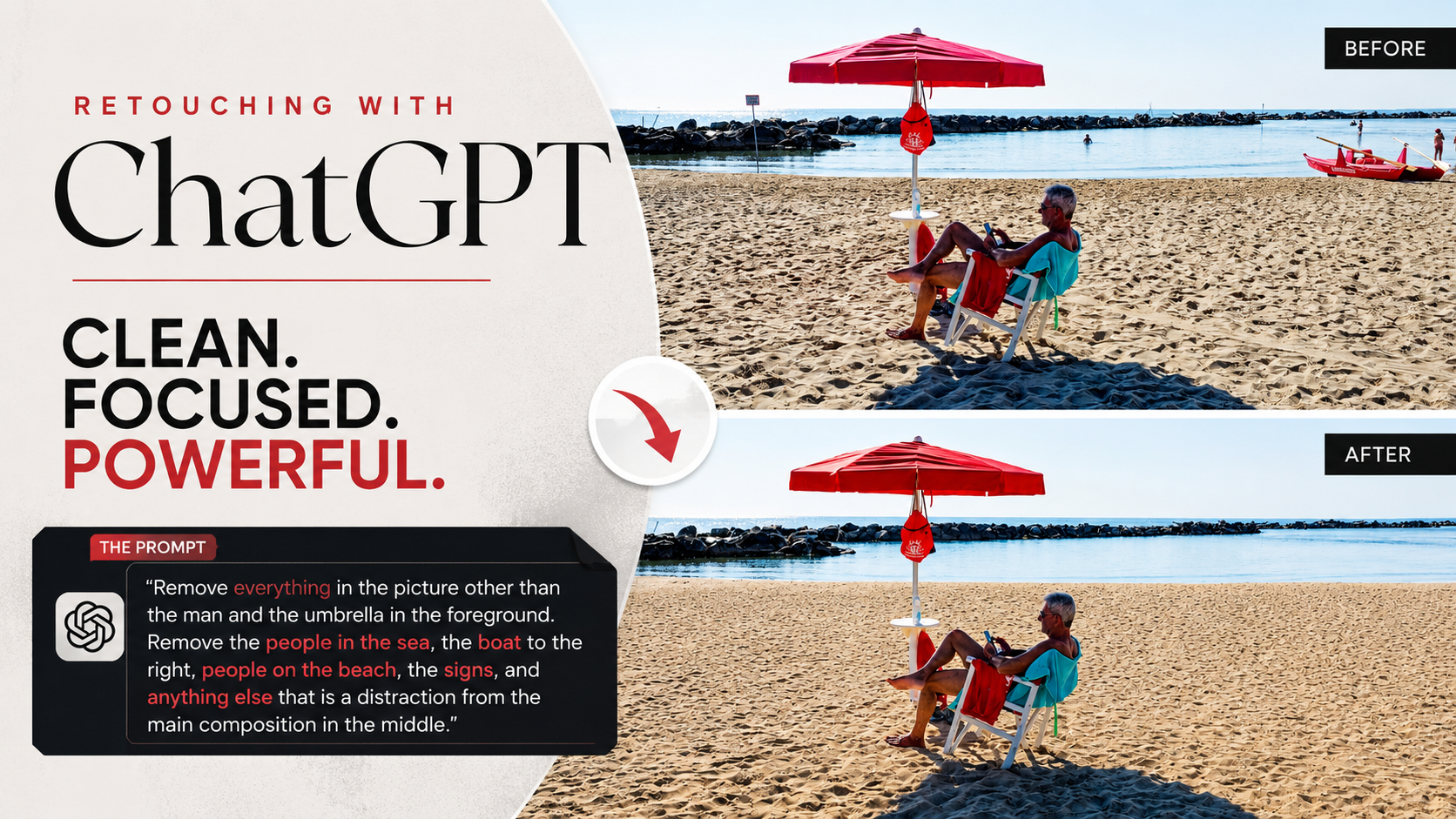
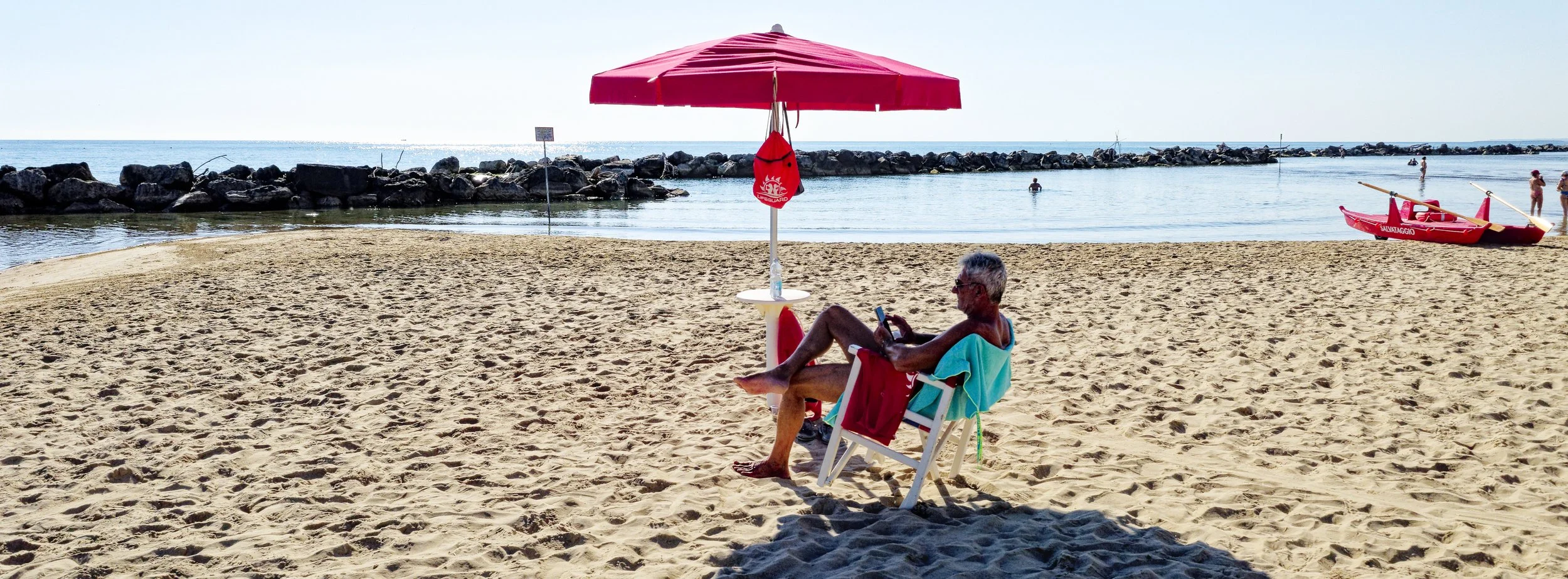
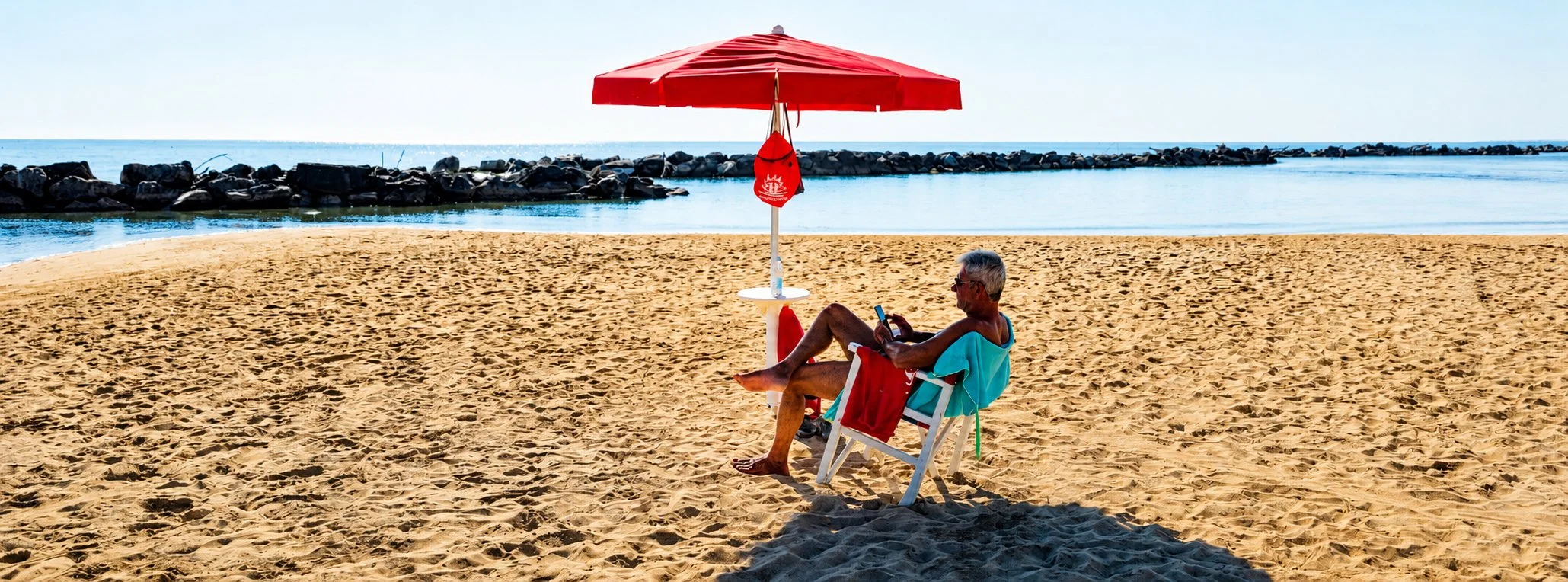
Recently I've started experimenting with ChatGPT's built-in image editing tools, particularly for removing distractions from travel photographs. In this example, I wanted to keep only the gentleman relaxing beneath the red umbrella. Everything else — people swimming, the lifeguard boat, warning signs and small distractions around the beach — simply pulled the viewer's eye away from the subject.
Rather than opening a traditional retouching application, creating multiple layers and spending twenty minutes cloning objects away, I simply uploaded the image into ChatGPT and described exactly what I wanted removed.
"Remove everything in the picture other than the man and the umbrella in the foreground. Remove the people in the sea, the boat to the right, people on the beach, the signs and anything else that distracts from the main composition."
The Results
For a web-sized image, I was genuinely impressed.
The composition immediately became calmer. Instead of my eyes jumping between boats, swimmers and beachgoers, the photograph became about one simple story: a quiet moment on an Italian beach.
Would I use ChatGPT for commercial advertising campaigns or large exhibition prints?
Probably not.
The generated image doesn't preserve every tiny photographic detail that you'd expect from professional retouching software, particularly if you're working with full-resolution RAW files intended for print.
However, if you're producing content for:
- X (Twitter)
- YouTube thumbnails
- Travel blogs
- Website headers
- Newsletters
- Small online portfolios
…it genuinely does an excellent job.
For many photographers, bloggers and content creators, the difference simply won't matter once the image is viewed on a phone or laptop screen.
Another Tool in the Workflow
One thing I've learnt over the years is not to become loyal to one particular piece of software.
Every tool has its strengths.
For RAW development I'll continue using DxO PhotoLab because the image quality is exceptional. If I need precise, high-resolution retouching I'll still reach for dedicated editing software.
But when I'm travelling, writing blog posts or preparing images for social media, ChatGPT has become another incredibly useful shortcut.
Sometimes the fastest solution is the right solution.
And that's really what workflow is all about.
Final Thoughts
If you're looking for pixel-perfect, print-quality retouching, dedicated editing software is still the better choice. But if you simply need to remove distractions quickly and create clean images for websites, blogs or social media, ChatGPT is one of the easiest AI editing tools I've used.
Search Topics