
Photography Software Guide
Best Photo Editing Software for Beginners in 2026
If you are just getting into photography, choosing your first editing software can feel more complicated than buying the camera itself. After years of travelling with cameras, editing RAW files from different systems, and building real-world workflows on the road, this is why I think DxO PhotoLab is one of the best photo editing choices for beginners in 2026.
Try DxO PhotoLab & Save With My DiscountDxO currently offers PhotoLab as a lifetime licence rather than a forced subscription, and the official trial is available for 30 days with no card details required.
Why Beginners Need the Right Photo Editing Software
When you are new to photography, it is very easy to think the camera is the most important part of the process. But once you start shooting RAW files, you quickly realise that the editing software is just as important as the camera you used to take the picture.
I shoot a lot when I travel. Early morning walks, beach scenes, cities, architecture, street photography, landscapes, hotel rooms, details, people, light, weather, moments that disappear in seconds. When you are working like that, you do not want your editing software to become another obstacle. You want something that helps you get to a good image quickly, without making you feel like you need a degree in colour science before you can enjoy your photographs.
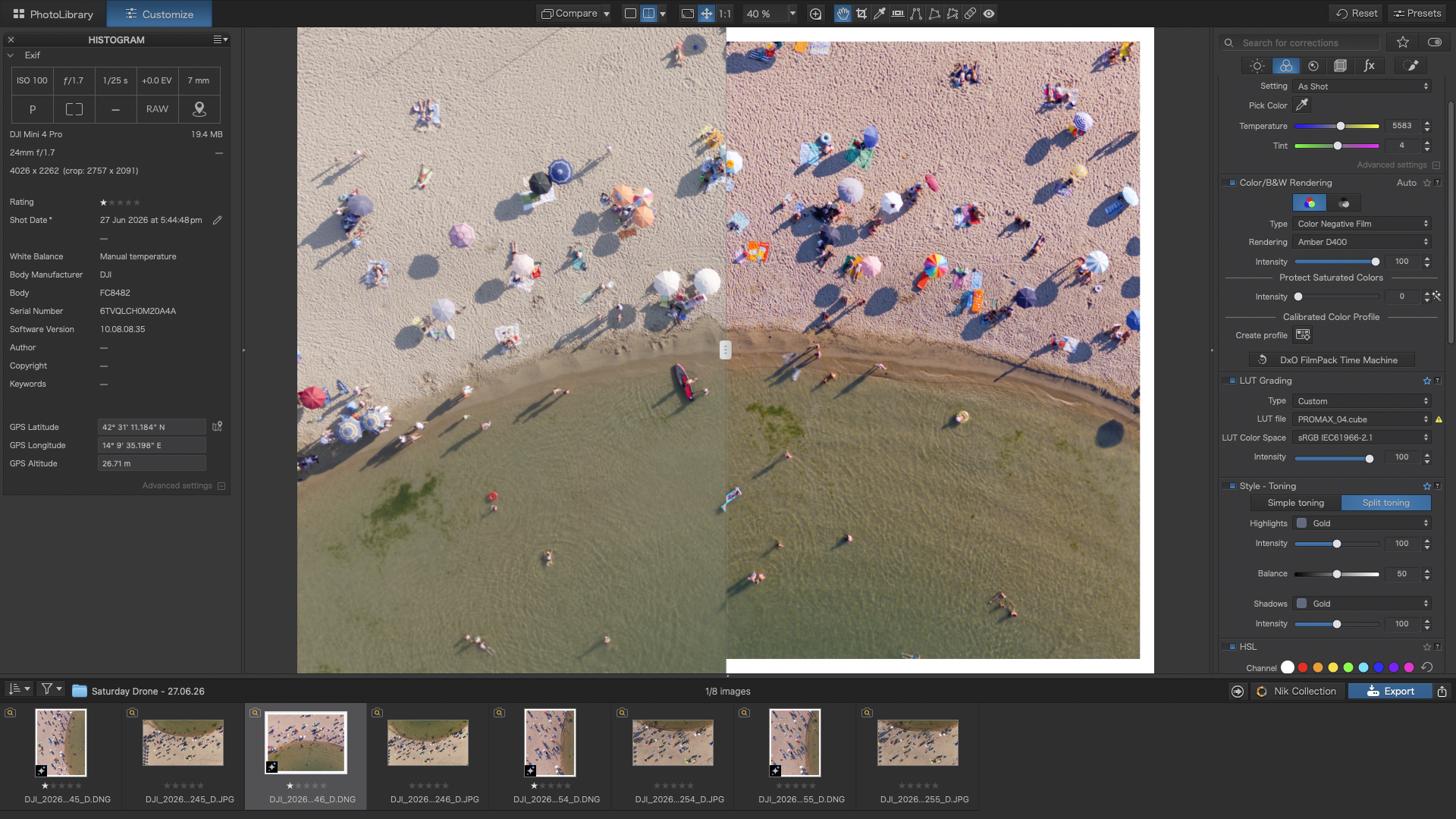
That is why I think DxO PhotoLab makes so much sense for beginners. It is not trying to be everything. It is trying to do the important things extremely well: RAW processing, optical corrections, noise reduction, colour, tone, sharpness and local adjustments.
What Is the Best Photo Editing Software for Beginners in 2026?
In my opinion, the best photo editing software for beginners in 2026 is DxO PhotoLab, especially if you are serious about learning RAW photography and you do not want to be locked into a monthly subscription.
There are lots of good editing programs available. Lightroom is popular. Luminar Neo is excellent for fast creative AI edits. Capture One is powerful for professional colour work. But for a beginner who wants high-quality results, a logical workflow and a piece of software they can grow into, DxO PhotoLab is the one I would personally recommend first.
Why I Recommend DxO PhotoLab for Beginners
1. It Gives You a Better Starting Point
One of the hardest things for beginners is opening a RAW file and feeling disappointed. The image can look flat, dull and nowhere near how the scene felt when you photographed it.
DxO PhotoLab helps solve that problem because the RAW processing is excellent. The files come in looking clean, detailed and natural. You are not starting from a mess. You are starting from a strong base, which means the editing process feels more encouraging from the beginning.
2. The Noise Reduction Is Brilliant
If you travel, shoot indoors, photograph cities at night or use smaller cameras, noise becomes part of the conversation very quickly.
DxO’s DeepPRIME noise reduction is one of the big reasons I use and recommend the software. It helps clean up high ISO RAW files while keeping detail in the image. For beginners, that is incredibly useful because it means you can shoot in more situations without feeling like your images are ruined by noise.
3. The Lens Corrections Save You Time
DxO has spent years building camera and lens correction profiles. That might not sound exciting, but it is one of the most useful things about the software.
Distortion, vignetting, softness and optical issues can be corrected automatically. As a beginner, you may not even know those problems are there yet, but DxO is already helping you fix them in the background.
4. It Is Powerful Without Feeling Overwhelming
Some editing software gives you everything at once. Every panel, every feature, every advanced tool. That can be impressive, but it can also stop beginners from enjoying the process.
DxO PhotoLab feels more logical. You can start with simple adjustments like exposure, contrast, highlights, shadows, white balance and colour. Then, as your confidence grows, you can move into local adjustments, AI masks, control points, sharpening and more refined RAW editing.
5. It Is Not a Forced Subscription
This is a big one for me. I think beginners are already spending enough money on cameras, lenses, memory cards, bags, hard drives and travel. The last thing everyone wants is another monthly payment.
DxO currently sells PhotoLab as a lifetime licence, so you can use the version you own without being automatically charged every month. You can choose whether to upgrade in the future, but you are not forced into a rolling subscription just to keep editing your photographs.
Try DxO PhotoLab With My Discount
If you are looking for beginner-friendly photo editing software that gives you excellent RAW quality, brilliant noise reduction and a non-subscription workflow, DxO PhotoLab is the software I would try first.
Try DxO PhotoLab & Save With My DiscountHow DxO PhotoLab Compares With Other Beginner Photo Editors
DxO PhotoLab
Best for beginners who want excellent RAW image quality, powerful noise reduction, automatic lens corrections and a clean non-subscription editing workflow.
Adobe Lightroom
Excellent for organising large libraries and cloud workflows, but the subscription model and catalogue system may not suit every beginner.
Luminar Neo
Great for creative AI edits, sky replacement and fast transformations. A strong option if you want dramatic results quickly.
Capture One
Very powerful for colour and professional workflows, but probably more complex than most beginners need when they are just starting.
Who Is DxO PhotoLab Best For?
I think DxO PhotoLab is best for beginners who want to take photography seriously but do not want to get buried in complicated software from day one.
It is especially good if you shoot travel photography, destination photography, landscapes, street photography, wildlife, portraits, family images or general everyday RAW files.
If you want to understand how to make your images cleaner, sharper and more polished, PhotoLab gives you a very strong foundation.
Is DxO PhotoLab Good for Travel Photography?
Yes, and this is one of the main reasons I like it.
When I am travelling, I often use different cameras depending on the situation. A compact camera for walking around, a mirrorless camera for higher-quality work, sometimes even small video-focused cameras for hybrid shooting. A good editing workflow has to cope with different files, different lenses and different lighting conditions.
DxO PhotoLab is excellent for this because it helps bring consistency to your RAW files. Whether you are editing a beach walk, a city street scene, a landscape at sunset or a high ISO indoor image, the software gives you a reliable starting point.
Is DxO PhotoLab Worth It for Beginners?
Yes, I think it is worth it if you are planning to keep learning photography and you want software that will grow with you.
You can start very simply. Open your image, apply the optical corrections, adjust the exposure, recover the highlights, lift the shadows, reduce the noise and export a polished photograph. That alone is enough for many beginners.
But as you improve, the software has more depth. You can learn local adjustments, control points, colour refinement, advanced sharpening, black and white workflows and more precise RAW processing.
Final Verdict: The Best Beginner Photo Editing Software in 2026
If someone asked me what photo editing software they should start with in 2026, my answer would be DxO PhotoLab.
Not because it is the flashiest option. Not because it has the most dramatic AI effects. But because it gets the fundamentals right. It helps you produce clean, sharp, natural-looking photographs without forcing you into an overly complicated or subscription-heavy workflow.
For beginners, that matters. You want software that helps you enjoy your photography, understand your RAW files and build confidence with every edit.
That is why DxO PhotoLab is my top recommendation for beginner photographers in 2026.
Download DxO PhotoLab
Try DxO PhotoLab with your own RAW files and see how it handles noise reduction, lens corrections, colour, sharpness and everyday editing. Use my DxO page below to access the trial and discount.
Get the DxO PhotoLab DiscountFrequently Asked Questions
What is the best photo editing software for beginners in 2026?
My recommendation is DxO PhotoLab because it offers excellent RAW image quality, strong noise reduction, automatic lens corrections and a beginner-friendly non-subscription workflow.
Is DxO PhotoLab good for beginners?
Yes. DxO PhotoLab is good for beginners because it gives you a clean starting point and allows you to learn photo editing gradually, without overwhelming you from day one.
Is DxO PhotoLab subscription based?
DxO currently offers PhotoLab as a lifetime licence rather than a forced monthly subscription, which makes it appealing for photographers who prefer to own their editing software.
Is DxO PhotoLab better than Lightroom?
Lightroom is excellent for catalogue management and cloud workflows. DxO PhotoLab is my preference for RAW image quality, noise reduction and optical corrections, especially for beginners who do not want a subscription.
Can I try DxO PhotoLab before buying?
Yes. DxO offers a 30-day free trial with no card details required, so you can test it properly with your own photographs before deciding whether to buy.